
















-v1665700116905.png?500x500&options=w_150)




















































































































DJI Neo 2 Digital Transceiver
DJI Neo 2 Digital Transceiver
When flying the drone with a remote controller or goggles, install DJI Neo 2 Digital Transceiver for stable, low-latency video transmission.
Do not install or remove DJI Neo 2 Digital Transceiver while the drone is powered on. Make sure it is installed before turning on the drone.
Avoid applying external force to the antenna to prevent deformation.
After every 30 hours of flight (approximately 60 flights), check that the screws on DJI Neo 2 Digital Transceiver are not loose, and tighten them securely if necessary.
Key Features:
Enables Stable Video Transmission
Supports Low-Latency Flight Control
Designed for Remote and Goggles Use
Easy and Secure Installation
Durable and Reliable Construction
What's in the Box:
DJI Neo 2 Digital Transceiver
Price Match
Fill out the price match form below, and we will be in touch shortly.

Price Match
Fill out the price match form below, and we will be in touch shortly.
 If you'd like to know when it's due, we're here to help!
 Call us during business hours at
  Chat live with our team on-site.
 Or email us anytime at info@georges.com.au with the subject "Awaiting Arrival"
Checking availability...
Product Overview
DJI Neo 2 Digital Transceiver
When flying the drone with a remote controller or goggles, install DJI Neo 2 Digital Transceiver for stable, low-latency video transmission.

Need advice?
Speak to one of our dedicated Australian-based sales team members.
Price Match
Fill out the price match form below, and we will be in touch shortly.
Price Match
Fill out the price match form below, and we will be in touch shortly.
Product Reviews
Blog posts
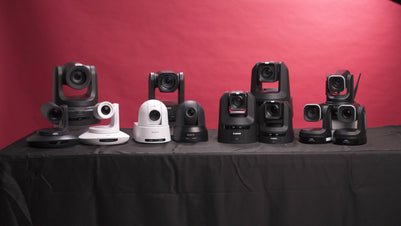
The Ultimate Guide to PTZ Cameras: Choosing the Right Setup f...
Compare Canon, Sony, BirdDog and Telycam PTZ cameras on image quality, tracking, zoom and value. Find the right setup for your production at Georges Cameras.
View post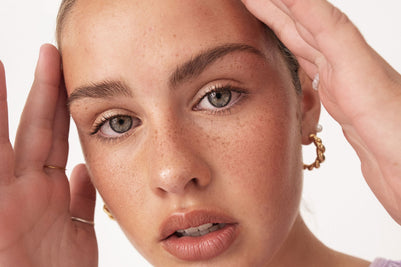
Beauty Lighting: How to Combine Hard and Soft Light to Make S...
A working beauty photographer’s guide to combining hard and soft light, beauty dish vs softbox, grids, negative fill and a clamshell setup you can copy, for skin that pops.
View post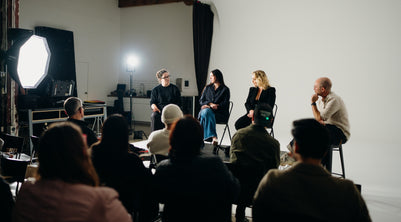
Everyone Can Take a Picture. Not Everyone Can Hold the Room
What an agent, a Vogue visuals producer and a brand-side creative lead really look for in photographers now. There is a point in almost every creative career where the work alone stops...
View post
Beyond Reach: My Experience With the Fujifilm XF400mmF4.5 Sup...
Explore our hands-on experience with the Fujifilm XF400mmF4.5, covering its sharpness, autofocus, reach and performance for sport, wildlife, landscapes and portraits.
View post
Learn to Get the Shot Right In-Camera
Beauty photography tips from Oliver Minnett’s Georges workshop, covering lighting, direction, working with a creative team, and using Sony and Profoto gear.
View post
Stop Trying to Learn Everything at Once
Beauty photography tips from Oliver Minnett’s Georges workshop, covering lighting, direction, working with a creative team, and using Sony and Profoto gear.
View post
Beauty Photography Tips: Three Things I Wish I Knew Earlier
Beauty photography tips from Oliver Minnett’s Georges workshop, covering lighting, direction, working with a creative team, and using Sony and Profoto gear.
View post
How We Lit Karla Spetic's Australian Fashion Week Show with P...
We were invited by Karla Spetic to help light her runway, we chose Profoto's new LED lights for the job!
View post
Sony A7R VI First Thoughts: A Portrait Photographer’s Take on...
Sony has just launched the new Sony A7R VI, the latest camera in its high-resolution Alpha line, and I was lucky enough to spend some time with it earlier this week. I...
View post
Mobile Podcasting Setups Explained: From First Rig to Full Pr...
Mobile podcasting isn’t about shortcuts. It’s about picking gear that actually works, in the places podcasts actually happen. I used to chase the “best” setup. Turns out, the best setup is the...
View post


