


-v1665700116905.png?500x500&options=w_150)










The Ultimate Guide to PTZ Cameras: Choosing the Right Setup for Your Production
Running a multicamera production can quickly become a juggling act. Someone needs to frame the presenter, someone needs to watch the wide shot, and someone needs to make sure the audience is seeing the right camera at the right moment.
A good PTZ setup puts much of that control in one place. With remotely operated cameras, saved positions and the right switching system, a small team can cover a production that would otherwise need several camera operators.
But choosing a PTZ camera involves more than comparing resolution and zoom numbers. The camera needs to suit the room, the lighting, the people on screen and the person running the show.
We have spent time with PTZ cameras from Canon, Sony, BirdDog and Telycam, looking at everything from image quality and autofocus to how easily one person can run the system. The biggest lesson is that the right camera becomes much easier to choose once you know what you need it to do.
For a podcast, that might mean three reliable angles and straightforward switching. For a church, it might mean following a speaker from the back of the room in difficult light. This guide will help you work out where to spend, which models to shortlist and how to bring the system together.

Watch the full comparison here. See the image tests, autofocus demonstrations, preset recalls and complete workflows in our accompanying video.
What is a PTZ camera?
PTZ stands for pan, tilt and zoom. A PTZ camera can turn horizontally, tilt vertically and change its framing remotely, using software, a hardware controller or a compatible automation system. That makes it useful when cameras need to sit somewhere an operator cannot easily stand, or when one person needs to manage several angles. Save a wide shot, a lectern shot and a close-up as presets, and the camera can return to those positions when needed. Autofocus and auto tracking have different jobs. Autofocus keeps the subject sharp. Auto tracking moves or reframes the camera to follow them. A camera can offer good autofocus without automatically following a presenter around the room.
Which PTZ camera should you choose?
For a straightforward first setup, the Canon CR-N100 is our starting recommendation when you want 4K capability and presenter tracking. The BirdDog X1 suits an HD production built around NDI networking, while the Sony SRG-X40UH is worth considering when extra reach matters more than automatic framing.
Moving up, the Sony SRG-A40 is our shortlist pick for moving presenters and longer rooms. The Telycam Vision+ SE makes sense for smaller spaces that need 4K60 and tracking. For demanding productions, compare the Sony BRC-AM7, Canon CR-N500 and Telycam Explore according to movement, colour workflow and connectivity.
Here is where we would start, depending on the job:

How much should you spend on a PTZ camera?
Start by deciding what the extra money needs to achieve. A well-lit podcast studio with mostly fixed shots has different needs from a theatre where the camera must follow performers quietly through changing light.
We would approach the camera budget in three broad bands:
Under A$4,000: Start here for presentations, smaller studios and straightforward streaming. Prioritise a useful lens, good results in your lighting and controls you are comfortable using.
A$4,000 - A$8,000: Look here when tracking, more capable control or integration with an existing production system becomes important. Spend on the feature that solves your particular problem.
Above A$8,000: A higher budget makes sense when you need more demanding imaging, movement or broadcast features. Be specific about which of those requirements justifies the investment.
Treat these as planning ranges, with current product pricing guiding the final shortlist. They are budgets per camera; the complete system needs its own allowance.
Allow for mounting, microphones, lighting, cabling, switching, control, monitoring and recording. A well-lit room and a dependable control system can make a bigger practical difference than spending the entire budget on camera bodies.
Before choosing a model, establish where it will sit, how tight the shot needs to be, whether the presenter moves, and what resolution the final production must deliver. Then work out how its picture and control signals will reach the operator.
Choose a setup you can comfortably operate
USB and a laptop for a simple streaming setup
For a small studio or presentation space, compatible USB cameras feeding a laptop can be a sensible starting point. Software such as OBS handles the pictures and switching, keeping the equipment list manageable.
This works particularly well when most shots stay in one position. We found basic software controls useful for setting the framing, but less comfortable for fine adjustments during a live production. If the camera needs to move regularly while on air, give the control system more attention.
Check the supported USB video formats before buying. A camera may offer 4K through another output while limiting its USB feed to HD. The computer also needs enough capacity to handle all the connected cameras.
HDMI and a hardware switcher for regular multicamera work
For recurring services, panel discussions and podcasts, a hardware switcher can make the production easier to manage. HDMI carries the pictures into the switcher, while a compatible controller handles camera positioning. The Blackmagic Design ATEM Mini Extreme ISO G2 paired with an appropriately configured Elgato Stream Deck is one way to build this setup.
This arrangement gives the operator physical controls for choosing the live picture, preparing the next shot and recalling positions. It suits recurring services, panel discussions, presentations and podcasts where the production needs to be easy to repeat.
The ATEM Mini Extreme ISO G2 is an HD switcher. Buying a 4K camera still gives you options for other workflows, but this particular switching chain does not produce a 4K programme. See the Blackmagic Design specifications.


Network video and a joystick for more flexible camera placement
When cameras are spread around a venue, a compatible network video system can simplify routing their feeds to the production desk. A dedicated joystick lets the operator adjust pan, tilt and zoom together, which is useful when following a moving subject or preparing shots quickly.
A RØDECaster Video and compatible Telycam controller are one possible combination for this approach. Choose the camera formats, network equipment and receiving settings together: a camera capable of 4K60 does not make the whole production 4K60.
Note: RØDE released firmware version 1.4 on 24 September 2026, adding a free 4K Capture Mode to the RødeCaster Video, Video S and Video Core. In 4K Capture Mode, the console accepts up to four UHD HDMI feeds at 30fps with ISO recording to an external SSD. Some switching features are reduced in this mode. Update your firmware via the RØDE website.
The camera price does not dictate the connection you must use. An affordable NDI camera can belong in a network installation, just as a premium camera can feed an HDMI switcher. Build around the equipment and output your production needs.


To see how these setups connect in practice, watch the USB, HDMI and network walkthroughs in our full guide below.
Our picks for a straightforward PTZ setup
Canon CR-N100: our starting point for presentations
The CR-N100 is an appealing first step when you want a camera that can handle a straightforward stream today and a 4K workflow later. It combines a 1/2.3-inch-type sensor, 20x optical zoom and output up to 4K30. Canon also offers Auto Tracking Lite with current firmware, with additional functionality available through its paid tracking application. Canon CR-N100 details.
We liked the Canon’s colour in our testing, and the combination of image quality and tracking makes it an easy camera to shortlist for education and presentations. It is particularly appealing when a small team needs to reduce the amount of manual reframing.
The main consideration is lighting. As with the other smaller-sensor cameras in this group, give it a well-lit subject before expecting it to perform in a dark room.

Sony SRG-X40UH: useful reach for a fixed position
The SRG-X40UH is worth considering when the camera has to sit further from the subject and automatic tracking is not a requirement.
Its lens provides 20x optical zoom. Sony’s Clear Image Zoom extends this to 30x in 4K or 40x in Full HD; those larger figures are not optical zoom ratios. Sony SRG-X40UH specifications.
Pushing beyond the optical range brought the subject closer in our testing, but the picture looked softer. Use that extra reach when you need it, and judge the result at the framing and resolution your audience will actually see.

BirdDog X1: a practical option for HD network production
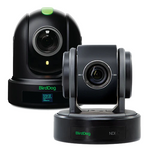
The BirdDog X1 makes sense when Full HD meets the brief and NDI is central to the setup. It offers 20x optical zoom and NDI HX connectivity. BirdDog X1 specifications.
We liked its sharpness and colour. For a well-lit HD production, it is a useful camera to have on the shortlist. Its zoom response through our OBS controls was less refined, so we would pair it with a control method we had tested before relying on live moves.

Telycam Drive+ SE: connection choices for an HD installation
The Drive+ SE is a useful option when you need to fit a camera into an existing Full HD workflow. Telycam lists USB and NDI HX support, with a choice of SDI or HDMI output variants. Check the exact version you are ordering. Telycam Drive+ SE details.
We were impressed by the detail it retained when zoomed in. For a well-lit space using prepared shots, it is a strong option to consider, especially when the choice of connections helps it fit equipment you already own.

Moving up: tracking, reach and a more flexible production
Sony SRG-A40: our pick for moving presenters and longer rooms
The SRG-A40 is where we would start for a moving speaker in a longer room. We liked the balance of reach and detail, and it handled lower light well in our testing. That combination makes it particularly relevant to churches, lecture spaces and presentation venues.
Sony’s automatic framing is the other reason to shortlist it for lectures, services and presentations. As with the SRG-X40UH, the lens is 20x optical, with Clear Image Zoom extending the available range to 30x in 4K or 40x in Full HD. Sony SRG-A40 details.
We would still rehearse the speaker’s route and test how the camera behaves when someone crosses the frame. Tracking reduces the operator’s workload, but it needs to suit the event.

Telycam Vision+ SE: 4K60 for smaller spaces
The Vision+ SE is worth a close look for a classroom, podcast studio or presentation room where a wide view matters more than extreme telephoto reach. It pairs 12x optical zoom with native auto tracking and 4K60 capability over supported outputs. Telycam Vision+ SE details.
We found the image bright and detailed, though a scene with bright windows needed careful exposure. Set the camera for the presenter’s face and check how much detail remains in the background before saving the shot.
Choose the HDMI or SDI variant carefully. The SDI connection is 3G-SDI, so it does not carry the camera’s maximum 4K60 format.

Canon CR-N350: 4K60 with a Canon colour workflow
For productions already using Canon cameras, the CR-N350 is a useful model to compare. Its 4K60 capability, 20x optical zoom and Canon Log 3 support make it relevant to both live production and footage that will be graded afterwards. Canon CR-N350 overview.
The colour options are the reason we would put this Canon on the shortlist for a mixed-camera production. Log provides more flexibility when grading footage afterwards. For a live show, choose a suitable finished picture profile or apply the appropriate conversion, then match exposure and white balance across the cameras.

BirdDog X1 Ultra: a compact 4K NDI option
The X1 Ultra is worth considering for a compact NDI production where 4K30 is sufficient and the camera does not need a long telephoto lens. Its 12x optical zoom offers less reach than the Sony SRG-A40, so placement matters. BirdDog X1 Ultra specifications.
For this role, we would prioritise how easily the camera integrates with your existing network and controls, then compare the image at the distance you will actually use.

For a closer look at the differences in reach, detail and colour, see the side-by-side comparisons in our full video here.
Our picks for more demanding productions
Sony BRC-AM7: our pick for precise, quiet movement
The BRC-AM7 impressed us most for movement. It returned to presets exceptionally quickly, with the smoothness, precision and quiet operation we look for when a camera needs to work discreetly in a live venue.
Its 1-inch-type sensor, 4K60 capability and S-Log3 support also make it a strong candidate for productions working alongside Sony cinema cameras. Sony BRC-AM7 details.
We would shortlist it for theatres, larger productions and installations where movement quality matters as much as the image. Remember that a fast preset recall and a graceful on-air move need different speed settings.

Canon CR-N500: a larger sensor and dependable focus
The CR-N500 combines a 1-inch-type sensor with Dual Pixel CMOS AF and Canon Log 3. Its principal trade-offs in this group are 15x optical zoom and a maximum 4K frame rate of 30p. Canon CR-N500 specifications.
We found it responsive when recalling shots, with confident focus as it settled into the new framing. Choose it for interviews and presentations where Canon colour matching and the larger sensor are more valuable than 4K60 or additional lens reach.

Telycam Explore: our shortlist pick for broadcast connectivity
The Telycam Explore is a compelling option when the camera needs to fit into a more technical production system. It combines a 1-inch-type sensor and 20x optical zoom with 4K60, 12G-SDI, genlock and NDI options. Telycam Explore details.
We were particularly impressed by how well its image held up with additional digital zoom in our testing. We would still plan camera positions around the optical lens, but the extra reach gave us more flexibility than expected.
The Explore deserves a close comparison when you want strong image quality and extensive connections from the same camera. Those connections become valuable when they remove the need to work around the rest of your production system.

BirdDog X4 Ultra: flexibility in camera placement
The X4 Ultra’s distinction is its built-in battery and Wi-Fi, which can help when a practical camera position is difficult to cable. It also offers a 1/1.8-inch-type sensor and 20x optical zoom. BirdDog X4 Ultra specifications.
We would consider it for temporary installations and event setups where placement is the challenge. Battery runtime varies with use, and wireless performance depends on the venue’s network conditions. Test both for the duration and location of the production.
We found pan and tilt quick, while zoom took longer to settle. Allow for that timing when preparing the next shot.

Movement is easier to judge when you can see it. Watch the preset recalls in our full comparison to assess how each camera moves, zooms and settles into focus in here.
The specifications that make a difference in the room
Sensor size and lighting
If you regularly shoot in a dark venue, low-light performance should sit near the top of your shortlist. We saw a worthwhile improvement from the larger-sensor cameras as the lighting dropped, which can matter more than an increase in headline resolution.
Sensor size is only part of the result. Lens aperture, exposure settings, processing and the amount of light on the subject also matter. A larger sensor gives you useful headroom; it does not make lighting irrelevant.
For a podcast studio, improving the light may be the best first investment. For a church or theatre where you have limited control over illumination, compare the cameras under the venue’s actual conditions.
Optical zoom and camera placement
Start with the distance from camera to subject and the tightest shot you need. Optical zoom changes the framing through the lens. Digital zoom crops or processes the image, and its appearance depends on the camera, the amount used and the output format.
Also compare field of view. Two cameras with the same zoom ratio can frame a room differently. At longer focal lengths, vibration becomes easier to see, so a solid mount is part of achieving a sharp image.
Autofocus, tracking and presets
For a seated interview, reliable focus and repeatable presets may be enough. For a lecturer walking across a stage, tracking becomes more valuable.
The control method also affects how responsive a camera feels. Test the complete combination of camera, firmware and controller. Set the tracking area, rehearse movement and keep a useful wide shot available.

USB, HDMI, SDI and NDI: which connection do you need?
USB is a convenient starting point for a laptop-based production. Check the camera’s supported USB video formats, the cable specification and the computer’s capacity before connecting several cameras.
HDMI works well for nearby cameras feeding a compatible switcher. For longer distances, select an appropriate active or optical cable system, or consider SDI conversion.
SDI is useful for professional installations and longer cable runs. Its format matters: 3G-SDI generally serves HD workflows, while 12G-SDI can carry 4K60 in compatible systems. Cable type, distance and equipment determine what will work reliably.
NDI transports video and audio over a compatible IP network. It can simplify routing between cameras, software and production equipment, but the sender and receiver need compatible NDI formats and sufficient network capacity. NDI’s creator workflow overview explains the network approach.
Power over Ethernet, or PoE, is a separate feature. Where the camera and network equipment support the correct PoE standard, one Ethernet cable can carry power alongside video and control. Check both the power available per port and the switch’s total power budget. NETGEAR’s PoE explanation covers that distinction.
Control can also travel over a network without the video using NDI. In an HDMI workflow, for example, Ethernet can carry camera commands while HDMI carries the picture.


What else belongs in a PTZ camera system?
The camera captures the angle. The controller positions it. The switcher chooses which picture the audience sees. Recording preserves the programme, and ISO recording preserves separate camera feeds for editing later.
For a small production, software may cover several of those jobs. As the show becomes busier, a joystick controller and physical switching controls can make operation more comfortable. Compatibility matters more than matching the logo on every box.
Audio deserves its own plan. Use suitable microphones or a feed from the venue’s sound desk, monitor with headphones and check lip sync before the event. A good picture will not rescue speech the audience cannot understand.
Finally, rehearse the show. Save the shots, name them clearly, test the recording and run the setup long enough to reveal connection or heat-related issues. Keep one camera available for a dependable wide view while the others are being repositioned.
Common PTZ camera questions
What is a good PTZ camera for a church?
We recommend starting with the Sony SRG-A40 when reach and presenter framing are priorities. For a more demanding venue, compare the Canon CR-N500, Sony BRC-AM7 and Telycam Explore. Choose after checking the actual lighting, camera distance and existing switching system.
What is a good PTZ camera for a podcast?
The Canon CR-N100 and BirdDog X1 are sensible starting points for a well-lit studio with prepared shots. Consider the Telycam Vision+ SE when 4K60 and a wide view are useful. Microphone placement, lighting and repeatable framing will do much of the work.
Do I need 4K for live streaming?
Not always. A well-lit Full HD stream can suit presentations, services and podcasts. Choose 4K when your delivery or recording requirements justify it, and confirm that the entire signal chain supports the format you need.
Can one person operate multiple PTZ cameras?
Yes, particularly with saved shots and a planned running order. Prepare the next angle while a different camera is live, then switch once it is framed and in focus. The workload increases when several subjects move independently or cameras need continuous manual operation.
Does NDI require an internet connection?
NDI can operate over a local network. Publishing a stream to an online platform is a separate step that requires an internet connection. The local network still needs to be configured and sized for the video traffic. NDI documents connections beyond the local network separately in its Bridge guide.
Build a PTZ setup around the way you work
A useful PTZ system makes the production easier to run. That might mean a single camera following a presenter, three prepared angles for a podcast, or a network of cameras feeding a larger live show.
Start with the room, the shots and the operator. Choose the connections and control method, then shortlist the cameras that fit. That is where the differences between these models become meaningful.
For a closer look, watch our Ultimate Guide to PTZ Cameras video. You can see the image comparisons, autofocus behaviour and camera moves for yourself, alongside the complete setups behind them.