
















-v1665700116905.png?500x500&options=w_150)


















































































































Blackmagic Design DaVinci Resolve Advanced Panel
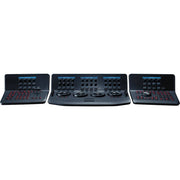
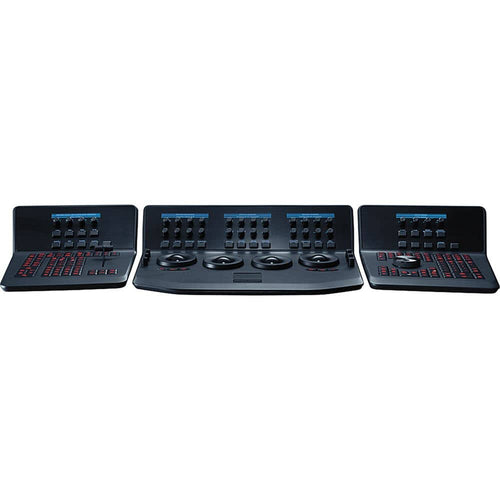
The DaVinci Resolve Advanced Panel from Blackmagic Design is a significant step up in functionality from the Micro or Mini panel. It consists of a main console and two auxiliary consoles, one on each side, as well as a slide-out keyboard in the center console. It enables one-touch access to virtually every control and parameter within the DaVinci Resolve software.
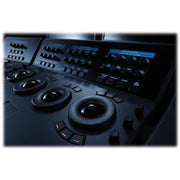
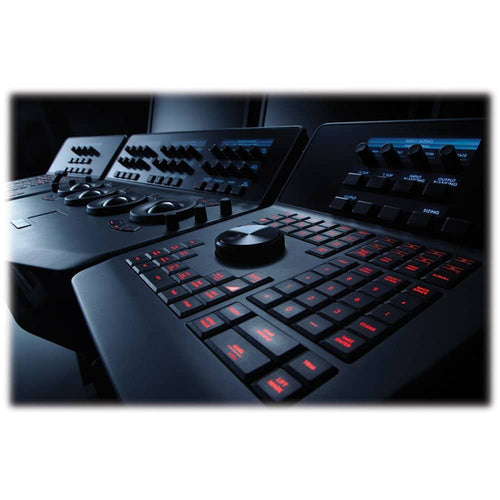
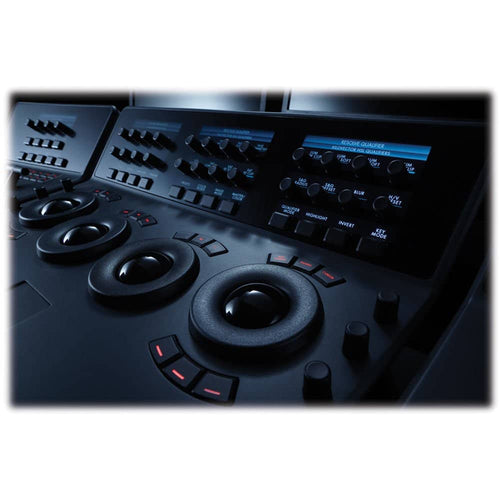
The center console incorporates four high-resolution, weighted trackballs and 30 soft, customizable control knobs for accessing color-correction tools in the Resolve software. The custom control knobs feature 4096 steps per rotation and push-button reset so you can achieve high-quality and precise color correction using the DaVinci Resolve system.
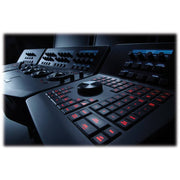
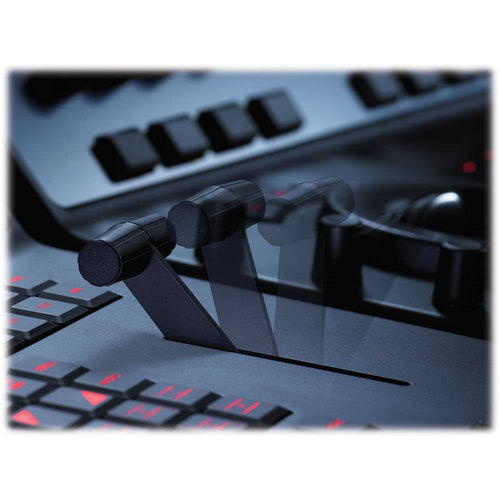
The Resolve control surface incorporates a slide-out keyboard that is useful when naming or renaming files, and it can be neatly tucked away when not in use. All functions are accessible via separate keys, such as the reference keys, and the fader T-bar that allows you to wipe between reference stills.
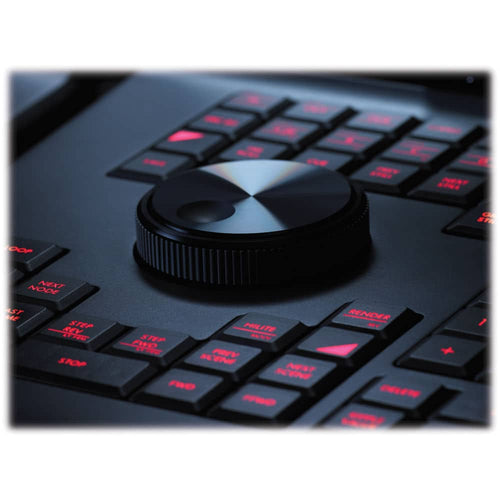
You can easily control the image sections via keys located for easy access at your natural hand positions. Lift, gamma, and gain adjustments along with RGB control are achieved via trackballs. Menus and indicators are visible via five high-resolution LCD displays that offer a view of functions of all the knobs and buttons. Soft knobs that can precisely control parameters via single touch are provided, and no electrical contact eliminates wearing out of the knobs. Aesthetically illuminated keys are backlit using RGB color and intensity. Complete control of project timeline or deck is offered via the jog/shuttle knob and transport controls.
Menus, Soft Keys, and Soft Knob Control
All Resolve panels have soft keys and variable control knobs within the LCD panel, which provide an accurate visual reference to the control without the risk of error.
Trackball Panel
The center panel has four trackballs, each with a surrounding control ring. The three trackballs to the left control lift, gamma, and gain when Resolve is set for primary grading. When in Log grading, they adjust lowlights, mid-tones, and highlights. The fourth trackball works similar to a mouse for moving the on-screen cursor. It can also be used to draw Power Windows, control color curve point position, and act as an offset control for the primary grade.
Keyboard
The center panel incorporates a slide-out keyboard that is useful when naming or renaming files, and it can be neatly tucked away when not in use.
Luminance
- Y lift control: Adjust the contrast of the image in the darker areas, specifically in the Y (luminance) channel only. This adjustment allows for changing the black point without changing saturation.
- Y gamma control: Adjust the contrast of the image in the mid-tone areas, specifically in the Y (luminance) channel only. This control helps add depth and extra vibrancy to shots.
- Y gain: You can reduce hot spots or tweak the whites to define a look.
Contrast
- Contrast control: Increase contrast to make the blacks darker and the whites brighter, or decrease contrast to do the opposite.
- Pivot: Change the center of tonality about which dark and bright parts of the image are stretched or narrowed during a contrast adjustment.
- Mid-tone detail: Affect the contrast of regions of the image with high edge detail to increase or decrease the perception of image sharpness and definition. It's often used for softening facial features, making it popular for beauty shots.
Detail
- Color boost control: Raise the saturation in regions of the image with low saturation while leaving properly saturated areas alone. Also known as a vibrance operation, this is useful for adding color without oversaturating the image.
- Shadow control: Selectively lighten or darken shadow detail without affecting your image's mid-tones.
- Highlight control: Enable retrieving blown-out highlight detail in high dynamic range media by lowering this parameter. This allows you to achieve a smooth blend between the retrieved highlights and unadjusted mid-tones, for a natural-looking image.
Saturation
Increases or decreases overall image saturation; you can turn your color image into a grayscale image with this control.
- Hue control: Rotates all hues of the image 360° around the color wheel. The default setting is 50, which retains the original distribution of hues.
- Luminance mix control: Controls the balance between the YRGB adjustments and Y-only adjustments made using the Y channel lift, gamma, and gain controls.
T-Bar Panel
The panel features a T-bar mix/wipe control and a number of menu and function keys. You can position the T-bar panel on either side of the Trackball panel.
Transport Panel
The Transport panel features the timeline transport controls and a jog/shuttle control, as well as a numerical keypad and associated function keys. The Transport panel can be positioned on either side of the Trackball panel.
Price Match
Fill out the price match form below, and we will be in touch shortly.
Price Match
Fill out the price match form below, and we will be in touch shortly.
 If you'd like to know when it's due, we're here to help!
 Call us during business hours at 02 9299 0177.
 Chat live with our team on-site.
 Or email us anytime at info@georges.com.au with the subject "Awaiting Arrival"
Checking availability...
Product Overview
The DaVinci Resolve Advanced Panel from Blackmagic Design is a significant step up in functionality from the Micro or Mini panel. It consists of a main console and two auxiliary consoles, one on each side, as well as a slide-out keyboard in the center console. It enables one-touch access to virtually every control and parameter within the DaVinci Resolve software.

Need advice?
Speak to one of our dedicated Australian-based sales team members.
Price Match
Fill out the price match form below, and we will be in touch shortly.
Price Match
Fill out the price match form below, and we will be in touch shortly.
Product Reviews
Blog posts

Beauty Photography Tips: Three Things I Wish I Knew Earlier
Beauty photography tips from Oliver Minnett’s Georges workshop, covering lighting, direction, working with a creative team, and using Sony and Profoto gear.
View post
How We Lit Karla Spetic's Australian Fashion Week Show with P...
We were invited by Karla Spetic to help light her runway, we chose Profoto's new LED lights for the job!
View post
Sony A7R VI First Thoughts: A Portrait Photographer’s Take on...
Sony has just launched the new Sony A7R VI, the latest camera in its high-resolution Alpha line, and I was lucky enough to spend some time with it earlier this week. I...
View post
Mobile Podcasting Setups Explained: From First Rig to Full Pr...
Mobile podcasting isn’t about shortcuts. It’s about picking gear that actually works, in the places podcasts actually happen. I used to chase the “best” setup. Turns out, the best setup is the...
View post
Rigging Up Your Sony Cinema Camera
Rigging gets a bad rap because a lot of rigs are built backwards. People buy parts first, bolt everything on, and end up with a camera that looks serious but shoots worse....
View post
What Makes a Good Photographer? A Portfolio Deconstruction
Clyde Vaughan Guest post by Clyde Vaughan — ahead of Clyde's talk on January 22: “How to create incredible images: A talk by Clyde Vaughan”. If you ask “what makes a good...
View post
The End of the Generator? Hands-on with the DJI Power 2000
We’ve all been there: you’re on a remote shoot, beautiful location, but you’re either scrambling to find a power outlet or lugging a massive, noisy petrol generator through the bush. We’ve been...
View post
Why 2026 Might be the year to change from DSLR to Mirrorless
Alright—let’s do the DSLR vs mirrorless thing properly. Not “on paper”, not “in theory”, but head-to-head on the stuff that actually matters when you’re out shooting. My name's Oliver Minnett, I'm Georges...
View post
Leica is now at Georges Cameras
Some cameras don’t just document your life; they become part of it. I bought a Leica M6 in 2012. Photography had always been a part of my life; my dad had run...
View post
5 Things to Know Before You Upgrade Your Camera
Upgrading your camera? Learn the 5 things that matter: sensor size, ergonomics, lenses, power/media, and colour/screens—so you can choose the right camera with confidence.
View post


