
















-v1665700116905.png?500x500&options=w_150)




















































































































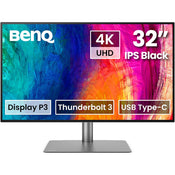
BenQ PD3225U 32" 4K Designer Monitor
BenQ PD3225U 32" 4K Designer Monitor
Impeccable 2000:1 Contrast Ratio
Experience the brilliance of our 2000:1 IPS Black Technology, which delivers unparalleled deep black and exceptional contrast, elevating your visual experience to new heights.
Incredible Colour Space Coverage
PD3225U covers 98% P3, 99% sRGB, and 99% Rec.709 colour spaces and has amazing Delta E < 2 which ensures superb accuracy and absolute colour confidence.
Attentive Colour Modes for Creators
One Click Syncs Mac Device Colours
The PD3225U ships from the factory with default colour settings that perfectly match Mac and MacBook Pro laptop colours. Exclusive M-Book mode provides active colour syncing, creating an additional layer of colour precision assurance.
Colour Consistency at Your Fingertips
The ICCsync feature in Display Pilot 2 software automatically matches and synchronizes ICC profiles on the monitor when changing colour modes and also between your Mac and BenQ monitor. All of this is done instantly.
Unique Hotkey by Your Mac Keyboard
Effortlessly adjust display brightness using your Mac keyboard through Display Pilot 2 software.
Animation Mode
Enhance the clarity of dark areas without overexposing bright regions.
CAD/CAM Mode
Enjoy superior contrast between lines and shapes in technical illustrations.
DualView
Showcase designs in two modes side-by-side for improved workflow and enhanced productivity.
Accurate Colours Benefits Creators
Our Craftsman spirit comes with precise colour tuning, corner-to-corner uniformity, and an accuracy guarantee by authoritative third-party organizations.
Factory Calibrated for Colour Accuracy
BenQ DesignVue monitors feature meticulous factory calibration, so designers make full use of total display colour accuracy from the get-go.
Calman Verified
PD3225U is fully Calman Verified. Creative professionals demand excellence, and BenQ delivers.
Pantone & Pantone SkinTone Validation
PD3225U also features Pantone and Pantone SkinTone validation, appealing to professionals who need a display that achieves the utmost authenticity when showing real-world colours.
Pantone Connect Premium
Go digital with BenQ, the first brand to work with Pantone on a mobile app. As an existing owner or a new purchaser of BenQ professional monitors, you get one year of free Pantone Connect Premium for digitally mobile colour consistency and accuracy.
BenQ Uniformity Technology
Deliver corner-to-corner authentic colour and consistent luminescence. The display is divided into hundreds of sub-regions and meticulously fine-tuned for precision to assure dependable image fidelity.
Expand Your Mac Devices
Thunderbolt 3 carries images, videos, and other data seamlessly while charging your mobile devices at the same time, all with one cable.
The Thunderbolt 4 cable provided is backward compatible with Thunderbolt 3 displays to offer full functionality.
Your Thunderbolt 4 devices are compatible with USB-C on BenQ displays, ensuring consistent and seamless work efficiency.
Matching Colours Across Displays Has Never Been Easier
Made simple. Display ColourTalk provides an intuitive interface for creative professionals to effortlessly match the colours of two displays, whether it's a MacBook display with a single monitor or across two monitors.
Wide Connectivity
To help you set up a powerful workstation, PD3225U comes equipped with USB-C ports for Thunderbolt 3, HDMI ports, DisplayPort, and a USB hub. You can easily setup KVM and connect to Hotkey Puck G2, headphones, and external storage for greater productivity.
Built-in KVM
With built-in KVM (keyboard, video, mouse) switch functionality, PD3225U allows users to control two systems from one keyboard and mouse set. Click to switch between systems via Hotkey Puck G2 to boost efficiency.
Hotkey Puck G2
BenQ Hotkey Puck G2 offers users the flexibility to customize and access their most-used features. Press and switch the dial to access brightness, contrast, and volume adjustment, plus assign shortcuts to feature sets using the three function keys. Additionally, the rotation key allows users to assign custom shortcuts to settings.
HDR Technology
Supporting HDR10 and DisplayHDR 400, it delivers enhanced results for designs with higher brightness, colour uniformity, and deeper black levels.
What's in the Box
BenQ PD3225U 32" 4K Designer Monitor
Price Match
Fill out the price match form below, and we will be in touch shortly.
Price Match
Fill out the price match form below, and we will be in touch shortly.
 If you'd like to know when it's due, we're here to help!
 Call us during business hours at 02 9299 0177.
 Chat live with our team on-site.
 Or email us anytime at info@georges.com.au with the subject "Awaiting Arrival"
Checking availability...
Product Overview
BenQ PD3225U 32" 4K Designer Monitor
Impeccable 2000:1 Contrast Ratio
Experience the brilliance of our 2000:1 IPS Black Technology, which delivers unparalleled deep black and exceptional contrast, elevating your visual experience to new heights.

Need advice?
Speak to one of our dedicated Australian-based sales team members.
Price Match
Fill out the price match form below, and we will be in touch shortly.
Price Match
Fill out the price match form below, and we will be in touch shortly.
Product Reviews
Blog posts
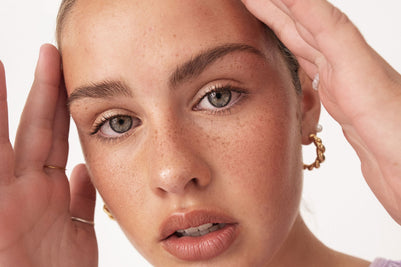
Beauty Lighting: How to Combine Hard and Soft Light to Make S...
A working beauty photographer’s guide to combining hard and soft light, beauty dish vs softbox, grids, negative fill and a clamshell setup you can copy, for skin that pops.
View post
Everyone Can Take a Picture. Not Everyone Can Hold the Room
What an agent, a Vogue visuals producer and a brand-side creative lead really look for in photographers now. There is a point in almost every creative career where the work alone stops...
View post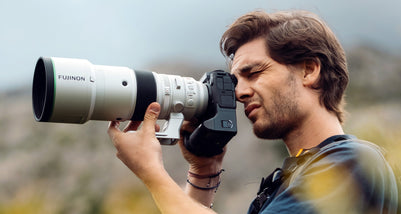
Beyond Reach: My Experience With the Fujifilm XF400mmF4.5 Sup...
Explore our hands-on experience with the Fujifilm XF400mmF4.5, covering its sharpness, autofocus, reach and performance for sport, wildlife, landscapes and portraits.
View post
Learn to Get the Shot Right In-Camera
Beauty photography tips from Oliver Minnett’s Georges workshop, covering lighting, direction, working with a creative team, and using Sony and Profoto gear.
View post
Beauty Photography Tips: Three Things I Wish I Knew Earlier
Beauty photography tips from Oliver Minnett’s Georges workshop, covering lighting, direction, working with a creative team, and using Sony and Profoto gear.
View post
How We Lit Karla Spetic's Australian Fashion Week Show with P...
We were invited by Karla Spetic to help light her runway, we chose Profoto's new LED lights for the job!
View post
Sony A7R VI First Thoughts: A Portrait Photographer’s Take on...
Sony has just launched the new Sony A7R VI, the latest camera in its high-resolution Alpha line, and I was lucky enough to spend some time with it earlier this week. I...
View post
Mobile Podcasting Setups Explained: From First Rig to Full Pr...
Mobile podcasting isn’t about shortcuts. It’s about picking gear that actually works, in the places podcasts actually happen. I used to chase the “best” setup. Turns out, the best setup is the...
View post
Rigging Up Your Sony Cinema Camera
Rigging gets a bad rap because a lot of rigs are built backwards. People buy parts first, bolt everything on, and end up with a camera that looks serious but shoots worse....
View post
What Makes a Good Photographer? A Portfolio Deconstruction
Clyde Vaughan Guest post by Clyde Vaughan — ahead of Clyde's talk on January 22: “How to create incredible images: A talk by Clyde Vaughan”. If you ask “what makes a good...
View post


