
















-v1665700116905.png?500x500&options=w_150)




















































































































Insta360 Flow 2 Pro (Grey)
Insta360 Flow 2 Pro (Grey)
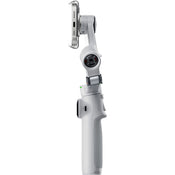
The updated grey Flow 2 Pro Smartphone Gimbal Stabiliser from Insta360 allows you to capture and stabilise smartphone footage in an all-in-one form factor with 1-tap pairing, native iOS tracking, a 10-hour runtime, and an integrated ring light to display when tracking is enabled. The included magnetic phone clamp secures smartphones 2.5 to 3.3" wide to the gimbal. Thanks to the gimbal's built-in 8.3" selfie stick and tripod legs, there's no need to bring additional expansion mounts.
1-Step Rapid Deploy
The Flow 2 Pro is designed for creators, vloggers, families, and travelers to add a cinematic touch to their phone content. Elevate your smartphone into a content creation tool with Insta360 Flow 2 Pro, the AI-powered stabiliser. Just unfold it once, and go with no need to untwist or even press the power button. When not in use, the gimbal folds to a compact size to fit in a bag or pocket.
360° Infinite Pan, Ring Light Indicator
The Flow 2 Pro can pan 360° around without interruptions to facilitate infinite pan tracking. This ensures your pan tracking remains smooth and seamless. An integrated ring light on the gimbal turns green when tracking mode is enabled.
3-Axis Stabilisation
The Flow 2 Pro features 3-axis stabilisation to make your shots look smooth and professional, whether you're on the skateboard court or catching a wave. The gimbal can support loads up to 10.6 kg, accommodating most smartphones with ease. There is an integrated cold shoe mount for mounting fill lights or wireless receivers.
Deep Track 4.0
Deep Track 4.0 technology keeps subjects in the frame and in focus with unmatched tracking accuracy. If your subject moves out of frame, the gimbal will keep tracking it even when blocked from view.
Level up your slow-motion shots. Deep Track 4.0 is even supported for high frame rate videos.
Upon zooming in, the Flow not only can track your subject, but it will also automatically adjust gimbal settings for more stable shots.
Upgraded animal tracking accommodates more diverse subjects, from cats to dogs to horses.
Capture with iPhone Camera
Tap your iOS smartphone to the Flow 2 Pro to pair the devices via NFC and Apple DockKit. This way, your Flow 2 Pro automatically connects the next time you pull it out. The gimbal features Apple's DockKit subject-tracking technology, which ensures you stay in frame in videos, live streams, and video calls with your iPhone's native camera app and across different app platforms.
Compatibility with Third-Party Apps
Make conference calls with Teams, Facetime, or Zoom for business meetings, stream live online for content creation, or teach a class remotely; the Flow 2 Pro keeps your subject clear, centered, and in focus for all third-party applications.
USB-C Power Port and Battery
Use the USB-C port on the gimbal to charge your phone while filming or recharge your gimbal's battery when depleted. The integrated 1100mAh battery can shoot for 10 hours and recharges in just two hours.
Selfie Shooting
Record on your own with the teleprompter feature that provides your script as you move and shoot your POV scene. There is also a selfie mirror on the back of the phone clamp that allows you to see your own image as you use the rear camera.
Smart Controls
You can control the gimbal from a distance, so you don't have to physically use the gimbal controls. You can use your smartphone or Apple Watch to set adjustments and start shooting, and you can also use a second smartphone to control your camera smartphone from a distance so you don't have to be near your setup and capture a selfie scene.
AI-enabled gesture control can facilitate hands-free control over your gimbal. Hold up your hand to start recording and tracking, and raise it once more to stop without needing to press a single button.
Comprehensive Shooting Modes
Auto: Automatically adjusts gimbal settings based on the environment
Follow: Responds to your movements for precise control, ideal for vertical shooting
Pan Follow: Ideal for horizontal shooting
FPV: Simulate FPV drone-like movements with gimbal stabilisation
Dolly Zoom: Create cinema-like dolly zooms to add drama
Motion Time-Lapse: Create time-lapses of your environment
TimeShift: Speed up time and space for impressive hyperlapses
360 Panorama: Set up your tripod and record immersive 360/240/180° or 3 x 3 grid panorama shots
Barrel Roll: The smartwheel facilitates exciting barrel roll shots
Cinematic Visuals
With a full tilt range and wide range of motion, cinematic movements such as rising and follow shots add drama to your scenes. The iPhone app also allows you to capture Apple ProRes format and utilise Dolby Vision and Advanced HDR colour technology for rich, colourful cinema-quality visuals.
Hoop Mode
When shooting sports such as basketball, the app features hoop mode that keeps track of the court, follows highlighted players, and captures every basket with full-court tracking.
Intuitive SmartWheel Control
The SmartWheel boasts a minimalist design and gives you quick, easy access to various useful functions, from shooting controls to video replay and more. Single press the back button to toggle Deep Track 4.0, double press to re-center, triple press to flip the camera around for Max Selfie mode. It facilitates a quick ratio change, zoom control, video replay, and quick access to creative effects.
Insta360 App
Create cinematic effects with dynamic camera movements and speed controls in the Insta360 app, including Widescreen mode, Hoop mode, TimeShift, Motion Time-Lapse, Barrel Roll, and Dolly Zoom. Master your shots with AI-powered editing tools. FlashCut tells a story with your clips, editing together the highlights on the beat of the music.
Key Features:
3-Axis Stabilisation for Smooth Footage
Built-In Selfie Stick and Tripod
Deep Track 4.0 AI Subject Tracking
1-Tap Pairing, Native iOS Tracking
Ring Light Indicator
360° Infinite Pan
SmartWheel Control for Zoom/Mode/Trigger
Magnetic Phone Clamp
Edit with Insta360 App
What's in the Box:
Insta360 Flow 2 Pro (Grey)
Magnetic Phone Clamp
Protective Pouch
USB-C to USB-A Charging Cable
Price Match
Fill out the price match form below, and we will be in touch shortly.
Price Match
Fill out the price match form below, and we will be in touch shortly.
 If you'd like to know when it's due, we're here to help!
 Call us during business hours at
  Chat live with our team on-site.
 Or email us anytime at info@georges.com.au with the subject "Awaiting Arrival"
Checking availability...
Product Overview
Insta360 Flow 2 Pro (Grey)
The updated grey Flow 2 Pro Smartphone Gimbal Stabiliser from Insta360 allows you to capture and stabilise smartphone footage in an all-in-one form factor with 1-tap pairing, native iOS tracking, a 10-hour runtime, and an integrated ring light to display when tracking is enabled. The included magnetic phone clamp secures smartphones 2.5 to 3.3" wide to the gimbal. Thanks to the gimbal's built-in 8.3" selfie stick and tripod legs, there's no need to bring additional expansion mounts.

Need advice?
Speak to one of our dedicated Australian-based sales team members.
Price Match
Fill out the price match form below, and we will be in touch shortly.
Price Match
Fill out the price match form below, and we will be in touch shortly.
Product Reviews
Blog posts
Beauty Lighting: How to Combine Hard and Soft Light to Make S...
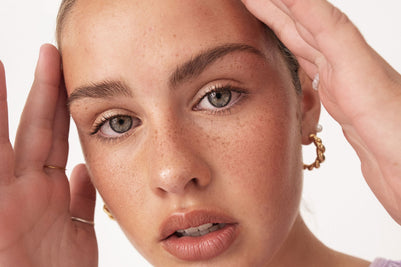
A working beauty photographer’s guide to combining hard and soft light, beauty dish vs softbox, grids, negative fill and a clamshell setup you can copy, for skin that pops.
View post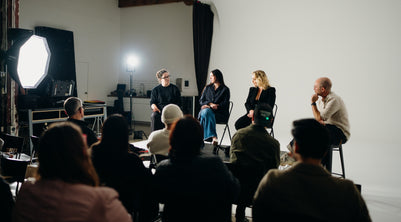
Everyone Can Take a Picture. Not Everyone Can Hold the Room
What an agent, a Vogue visuals producer and a brand-side creative lead really look for in photographers now. There is a point in almost every creative career where the work alone stops...
View post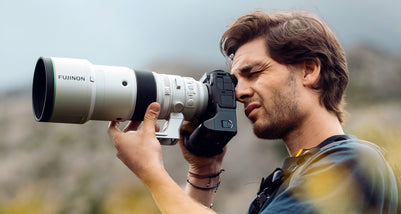
Beyond Reach: My Experience With the Fujifilm XF400mmF4.5 Sup...
Explore our hands-on experience with the Fujifilm XF400mmF4.5, covering its sharpness, autofocus, reach and performance for sport, wildlife, landscapes and portraits.
View post
Learn to Get the Shot Right In-Camera
Beauty photography tips from Oliver Minnett’s Georges workshop, covering lighting, direction, working with a creative team, and using Sony and Profoto gear.
View post
Stop Trying to Learn Everything at Once
Beauty photography tips from Oliver Minnett’s Georges workshop, covering lighting, direction, working with a creative team, and using Sony and Profoto gear.
View post
Beauty Photography Tips: Three Things I Wish I Knew Earlier
Beauty photography tips from Oliver Minnett’s Georges workshop, covering lighting, direction, working with a creative team, and using Sony and Profoto gear.
View post
How We Lit Karla Spetic's Australian Fashion Week Show with P...
We were invited by Karla Spetic to help light her runway, we chose Profoto's new LED lights for the job!
View post
Sony A7R VI First Thoughts: A Portrait Photographer’s Take on...
Sony has just launched the new Sony A7R VI, the latest camera in its high-resolution Alpha line, and I was lucky enough to spend some time with it earlier this week. I...
View post
Mobile Podcasting Setups Explained: From First Rig to Full Pr...
Mobile podcasting isn’t about shortcuts. It’s about picking gear that actually works, in the places podcasts actually happen. I used to chase the “best” setup. Turns out, the best setup is the...
View post
Rigging Up Your Sony Cinema Camera
Rigging gets a bad rap because a lot of rigs are built backwards. People buy parts first, bolt everything on, and end up with a camera that looks serious but shoots worse....
View post


