








Insta360 X6 Review: 500 km Across the Simpson Desert
|
|
Time to read 19 min






-v1665700116905.png?500x500&options=w_150)




|
|
Time to read 19 min
The Madigan Line runs more than 500 km through the Simpson Desert. It's sand dunes for days, no phone signal and no second chances, which makes it a good place to find out whether a camera is as tough and capable as its spec sheet says. We took the new Insta360 X6 camera across the whole crossing, mounted it on vehicles, left it running overnight under the stars and handed it to our convoy mates to film with.
The short answer: the Insta360 X6 is a big step up from the X4 we'd been using, and it earned its place on a trip where failure wasn't an option. Its low-light results impressed us, two wireless microphones connect straight to it, and replaceable lenses mean a scratch no longer ends your trip. It isn't flawless. The app is slow to connect, recording doesn't roll over between the card and internal storage, and it's fussy about memory cards. Get those details right and it's an easy camera to recommend for adventure travel, vlogging, motorcycling and 4WD trips.
How we tested: we used the X6 across a full Simpson Desert crossing in heat around 40°C, alongside the Insta360 X4 we've owned and used for some time. Everything below is from real-world use on that trip, not lab testing. Where we quote a figure we didn't measure, it's Insta360's specification and we say so.
| If you... | Our recommendation | Why |
|---|---|---|
| If you... Film 4WD trips, motorcycle rides or remote travel | Our recommendation Insta360 X6 | Why Tough, waterproof to 20 m without a case, with replaceable lenses you can carry as spares |
| If you... Want clean dialogue without a separate recorder | Our recommendation Insta360 X6 with two Mic Pro transmitters | Why Two transmitters connect directly to the camera, so there's nothing to sync later |
| If you... Shoot after dark, at camp or under the stars | Our recommendation Insta360 X6 | Why Its low-light results were the biggest step up we saw from the X4 |
| If you... Want great colour with minimal editing | Our recommendation Insta360 X6 in Dolby Vision | Why Rich, contrasty footage we'd post straight out of camera |
| If you... Need to grade footage with the rest of a production | Our recommendation Insta360 X6 in I-Log | Why Holds more shadow and highlight detail in tricky light |
| If you... Mostly film in daylight, use one mic and want to spend less | Our recommendation Consider the Insta360 X5 or X4 Air | Why You'll give up some of the X6's advantages, but you may not use them |
What we liked:
What to know:
A 360 camera like the X6 has two back-to-back lenses that capture everything around the camera at once. Later, on your phone or computer, you choose where to point the "virtual camera". This is called reframing. You can follow the vehicle in front, swing round to your passengers, then pan up to the sky, all from one clip.
On the Madigan Line, that mattered more than we expected. Stopping a convoy to reposition a camera isn't practical, and every dune crossing only happens once. With a 360 camera mounted to the vehicle, we didn't have to choose the angle in advance. We'd point one lens at the main shot we wanted, knowing the other lens was capturing the reverse view as a backup. If one angle didn't work, we had the other.
It's a bit like adding a drone to your kit. It doesn't replace a regular camera, but it gives you perspective a hand-held camera can't.
Better low-light performance is one of Insta360's headline claims for the X6, and it's where we noticed the biggest difference from our X4. The X6 uses two 1/1.1-inch sensors, which DPReview reports are about 33% larger than the X5's. Larger sensors gather more light, which generally means cleaner footage after sunset.
Several nights we set the X6 on a tripod in Starlapse mode, Insta360's long-exposure night timelapse, and left it running for four or five hours while we slept. By morning it had recorded the Milky Way moving across the sky and down behind the horizon. It also picked up a faint band of colour low in the sky that we couldn't see with the naked eye. With no artificial light for hundreds of kilometres, the desert is about as dark as it gets, which helps any camera, but we were genuinely impressed with the results.
For regular video after dark, the X6 has a dedicated low-light mode called PureVideo. In 360, PureVideo records at up to 8K and 30 frames per second, rather than the full 50fps the X6 offers in standard video. In return, footage after sundown is noticeably cleaner. If you're filming around the campfire or driving into camp at dusk, it's the mode to use.

Watch in the video: see the overnight timelapse and after-dark footage at 05:12. Low light is hard to judgefrom a still, and the motion of the stars shows what the camera captured over several hours.
For us, this was one of the most useful changes. The X6 can connect directly to two Insta360 Mic Pro (or Insta360 Mic) transmitters over Bluetooth, with no receiver plugged in. Insta360 lists the X5 and Ace Pro 2 as supporting only one transmitter, so this is a genuine step up.
Why it matters: when the microphone audio is recorded into the camera's own file, there's nothing to line up in editing. For two people talking in a vehicle, a presenter and guest, or a pace-car style setup, that saves real time. With two transmitters connected, you can turn on Stereo Internal Recording and set each transmitter's volume separately. The Mic Pro transmitters also record internally, in 32-bit float, so each speaker has their own backup recording if you need to fix a level or a dropout later.
One limitation to know about: when a transmitter is connected directly to the X6, the camera can't connect to a Bluetooth headset at the same time. A Bluetooth remote still works.
If you only plan to record into the X6, two standalone Mic Pro transmitters may make more sense than a kit with a receiver. If you'll also use the mics with a mirrorless camera, the receiver's 3.5 mm output earns its place.


Without external mics, the X6's built-in stereo microphones are good for ambient sound: engine noise, wind and water, or the sound of a ski or wakeboard run with the camera on a selfie stick. Insta360 lists several audio modes, including Auto Wind Noise Reduction, Voice Enhancement, Engine Sound Enhancement, Stereo and 360° audio.
At Dalhousie Ruins, just before the desert crossing, it was blowing a gale, so we recorded the built-in mics with the camera's Intelligent Audio Mode on and then off. To our ears, it sounded slightly better with it off. The mode did what its name suggests and enhanced speech, pulling down the lower frequencies of the voice and lifting the higher ones, but it didn't noticeably reduce the wind noise.
So if audio matters to your production, don't rely on the built-in mics in wind. Use Insta360 Mic Pro transmitters where you can, because a mic on the speaker's clothing sits much closer to the voice and is far less exposed to the wind. For ambient sound in breezy conditions, Insta360's clip-on X6 Mic Windshield is a simple, low-cost addition.
Watch in the video: listen to the built-in microphones with Intelligent Audio Mode on and off at 09:17, recorded in strong wind at Dalhousie Ruins, and judge the difference for yourself.

The Simpson is hard on gear. It's hot, fine sand gets into every gap, and a camera on a vehicle mount can fall off and be run over by the next car in the convoy. The X6 handled all of it, and we were able to set it up and forget about it on most of our mounts.
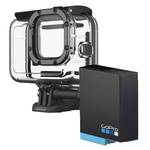
Waterproofing: The X6 is IP68 rated and waterproof to 20 m without a case. We still like a dive case for deeper water or extra peace of mind. The Insta360 X6 Invisible Dive Case Pro is rated to 60 m and comes with dedicated underwater lenses.
Heat: Insta360 rates the X6's operating temperature from −20°C to 40°C. We were filming in around 40°C heat, which is at the top of that range. The camera kept working for us, but if you're heading somewhere similar, keep it shaded between shots.
Replaceable lenses: if you're coming from an X4, as we were, this is a big deal. On the X4, a cracked or deeply scratched lens meant sending the whole camera to Insta360 for a paid repair. On the X6, the lenses are user-replaceable, and we carried a spare set just in case.
Lens guards: the cheapest insurance is preventing damage in the first place. Insta360's Premium Lens Guards for the X6 are tempered glass, and the camera detects them automatically so stitching isn't affected.


This was the biggest practical catch we found, and it's easy to avoid.
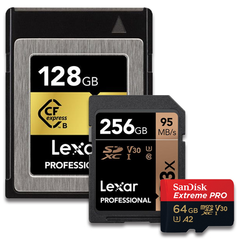
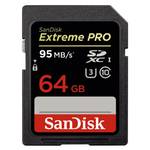
Use a UHS-I card. Insta360 specifies a microSD card that meets the UHS-I standard with a V30 speed rating or higher,formatted as exFAT. A faster UHS-II card isn't better here. The X6 is designed around UHS-I, and Lexar advises thatUHS-II and UHS-III cards shouldn't be used. Other reviewers have reported UHS-II cards not being detected orrecording stopping unexpectedly. We didn't test that ourselves, but it's not a risk worth taking in the middle of nowhere.
Know how much space you need. The X6 records 8K 360 video at up to 50fps, and Insta360 lists maximum bitrates of up to 240 Mbps for 8K timelapse and TimeShift at high bitrate, and 180 Mbps for other modes. We left the camera on its standard (lower) bitrate setting to save storage, and one of our Dolby Vision clips came in at 179.36 Mbps, right at that limit. As a rough guide, 180 Mbps works out to about 80 GB an hour. Treat that as a ceiling rather than an exact figure, but it shows why a 128 GB card doesn't last long.
Storage doesn't roll over. The X6 has 64 GB of built-in storage, with 47 GB of useable space for your footage, plus the microSD slot.We ran a 128 GB card alongside the internal storage, and on one overnight run the card filled up before the battery ran out. When one location fills, the X6 stops recording and prompts you to switch to the other manually. It doesn't move on automatically. We'd love to see a firmware update that rolls straight from the card to internal memory, but for now, start long recordings with an empty, large card.
For long days, we'd choose a 256 GB or 512 GB UHS-I V30 card.


Insta360 quotes 140 minutes of recording from the X6's 2600 m Ah battery, measured at 8K and 30fps. We didn't time it, but out in the desert it held up well against that claim, especially once we got into the habit of switching off Wi-Fi andBluetooth between shots. Insta360 says the battery charges to 80% in 24 minutes with a 30W PPS fast charger.
The feature that surprised us was reverse charging. Plug the X6 into your phone with a USB-C cable and the camera tops up the phone, rather than the other way round. With USB-C to USB-C, you choose the minimum charge the camera keeps for itself. With a Lightning cable, it stops automatically when the camera drops below 20%. On a trip with no mains power for days, it's a genuinely useful backup.
The flip side: the X6 won't charge its own battery over USB-C while it's recording. It prioritises keeping therecording going, so don'texpect to plug it into a power bank partway through a timelapse and have it record and chargeat the same time. For long sessions, carry spare batteries and a way to charge them.
If you want to record for longer in one go, look at the Insta360 X6 Power Selfie Stick. It has its own battery andconnects to the camera through pin contacts on the base of the X6, rather than the USB-C port. According to Insta360,that lets it power the X6 while you shoot, for up to about six hours of continuous recording. We didn't use one on thistrip, so that's Insta360's claim, not something we've tested, but it's worth a look if long recordings are a priority.
If you're charging in wet or dusty conditions, the All-Weather USB Charging Cover is IPX4 water-resistant whilecharging and seals the port with a plug when you're not.


The X6 records 10-bit colour and offers three colour profiles: Standard, Dolby Vision and I-Log, Insta360's flat logprofile.
Dolby Vision is the one we'd recommend to most people. We used it for several clips and found the colour rich, withgood contrast. It's footage we'd happily post straight out of camera. If you're filming a weekend 4WD trip, a run or askate session and you don't want to spend time editing, it's more than enough. Dolby Vision is an HDR format, so itlooks its best on a phone or screen that supports it.
I-Log earned its place in one particular shot. We mounted the X6 inside the cab, with the two of us talking to cameraand the sun behind the vehicle. With no direct light on our faces and bright desert outside, the side windows wouldhave blown out to white in the Standard profile. Switching to I-Log kept more detail in both the shadows and thehighlights, so we could balance the shot in editing. Log footage looks flat until you grade it, so it suits people who arehappy to edit, or who are matching the X6 to other cameras in a production.

Watch in the video: see the Dolby Vision and I-Log footage from the trip at 13:36. Colour and contrast aremuch easier to judge in motion than in a description.
AI Director was a pleasant surprise. After a day's filming, when we plugged the X6 in to charge, it prompted us that AI Director was putting together an edit in the background. Depending on how much footage there was, it was ready in roughly 10 to 15 minutes. It's not a substitute for your own edit, but it's a quick way to get something to share from camp.
The Insta360 app is where you reframe footage, review clips and control the camera remotely. It does the job, but it's slow, especially when it first connects to the camera. With some patience we got everything we wanted out of it. We were using a Samsung Galaxy S23 Ultra, which is comfortably above Insta360's minimum Android requirement, so as lower phone is likely to feel slower still. Insta360 says AI features may perform poorly on phones below its minimum spec.
In close convoy, we used the app's live view to check on cameras our mates had mounted on their vehicles, mainly when we were stopped. It let us confirm a camera was still rolling, start or stop it, or check the framing they'd chosen. At the end of each day we reviewed footage on the phone instead of plugging into a laptop. That made it easy to spot a great shot to repeat on another vehicle the next day, cut a quick social clip, and check that the Mic Pro audio sounded right through the phone's speakers, which are much better than the X6's own.
Gesture and voice control are handy, but watch your hands. We stopped a recording by accident while gesturing at the camera mid-sentence. You can turn gesture control off in settings, and voice control can start and stop recording too.

Because a 360 camera captures everything, it's forgiving when someone else sets it up. We handed X6s to other driverson a Tilta Hydra Electronic Suction Cup (6") with a Tilta Pro Articulating Arm, and gave them one instruction: keepthe camera upright and point one lens towards the main shot you want. The second lens covers the reverse angle, sothere's always a backup.
The X6 uses a standard 1/4-inch thread, so it fits standard tripods and selfie sticks, and DPReview reports it sharesInsta360's magnetic mount system with the X5, X4 and Ace series. The electronic suction cup pumps itself down at thepress of a button, so anyone in the convoy can fit it quickly and securely, and it monitors suction pressure as you drive. Tilta rates it well beyond the weight of an X6, and its top plate has 1/4-inch and 3/8-inch threads. The articulating arm then lets you angle the camera out from the bodywork, roof or windscreen to get the lens where you want it. It's a more serious rig than a basic suction mount, and priced accordingly. If you only need a simple dashboard or window angle,Tilta's 4.5-inch Universal Action Camera Suction Cup kit costs less.
For overnight timelapses, a stable tripod is essential. If the camera is going on a vehicle or getting knocked about, the Insta360 X6 Protective Utility Frame adds silicone padding and a steel base for drop protection, plus a side cold shoe and a second 1/4-inch thread for horizontal mounting. It still leaves the battery and USB ports accessible.


| Accessory | Why we'd take it | Link |
|---|---|---|
| AccessoryUHS-I V30 microSD card, 256 GB or larger | Why we'd take itThe X6 needs UHS-I, and 8K fills cards quickly | Link SanDisk Extreme Pro 256GB microSDXC UHS-I V30 |
| AccessoryPremium Lens Guards | Why we'd take itCheap protection against sand, rocks and falls | Link Insta360 X6 Premium Lens Guards |
| AccessoryReplacement Lens Kit | Why we'd take itFix a cracked lens without sending the camera away | Link Insta360 X6 Replacement Lens Kit (Double Lens) |
| AccessoryTwo Mic Pro transmitters | Why we'd take itTwo people's dialogue recorded straight into the camera | Link Insta360 Mic Pro Transmitter |
| AccessorySpare Xtreme Battery and Fast Charge Case | Why we'd take itThe X6 can't charge over USB-C while recording | Link Insta360 X6 Xtreme Battery |
| AccessoryPower Selfie Stick | Why we'd take itBuilt-in battery for long recordings, up to about six hours (Insta360 figure) | Link Insta360 X6 Power Selfie Stick |
| AccessoryProtective Utility Frame | Why we'd take itDrop protection and extra mounting points for vehicle use | Link Insta360 X6 Protective Utility Frame |
| AccessoryTripod or invisible selfie stick | Why we'd take itOvernight timelapses and shots from above | Link Insta360 2-in-1 Invisible Selfie Stick + Tripod |
| AccessoryElectronic suction cup and articulating arm | Why we'd take itSecure vehicle mounting that anyone in the convoy can fit | Link Tilta Hydra Electronic Suction Cup (6") + Tilta Pro Articulating Arm |
| AccessoryInvisible Dive Case Pro | Why we'd take itDiving beyond 20 m, or extra protection in the water | Link Insta360 X6 Invisible Dive Case Pro |
| AccessoryMic Windshield | Why we'd take itCuts wind noise on the built-in mics | Link Insta360 X6 Mic Windshield |
Bundles: the Insta360 X6 Essentials Bundle adds a second Xtreme Battery, the 114 cm Invisible Selfie Stick, a lens cap and the Fast Charge Case, which covers several items on this list. Riders should look at the Insta360 X6Motorcycle Bundle, which includes a heavy-duty clamp mount, flexible adhesive mounts and a 128 GB card. Neither includes lens guards or spare lenses, so add those separately for rough trips.


We'd recommend the X6 to vloggers, adventure and outdoors people, motorcyclists and 4WD travellers, and to filmmakers at every level who want an angle that a regular camera can't get. In a production, it's a bit like a drone: it won't replace your main cameras, but it gives you multiple angles from one camera without stopping to reposition it.
Should you save your money? If you mainly film in daylight, only ever need one wireless mic, and don't plan to grade footage, the Insta360 X5 or X4 Air will cost you less at Georges. The X6's advantages, including larger sensors, two direct Mic Pro connections, 8K at 50fps and longer rated battery life (Insta360 quotes 47 minutes more than the X5 at8K30, according to DPReview), matter most to people who will actually use them. If those features match how you shoot, the X6 is worth the extra.
Looking at the DJI Osmo 360 as well? It's the X6's closest rival. We haven't tested the two side by side, so we won't call a winner here, but our DJI Osmo 360 review covers what we found with it. Come in and handle both before you decide.
Upgrading from an X4? For us, the jump was big: noticeably better image quality, much better low light, replaceable lenses and direct dual-mic recording. Check that your existing mounts and accessories suit the X6 before you buy, because some accessories are model-specific.


| Specification | Insta360 X6 |
|---|---|
| Sensors | Insta360 X6Two 1/1.1-inch sensors, F2.0 |
| 360 video | Insta360 X68K up to 50fps, 6K up to 60fps, 4K up to 100fps |
| PureVideo (low light), 360 | Insta360 X68K, 6K and 4K up to 30fps |
| Single-lens (flat) video | Insta360 X65K up to 60fps, 4K up to 120fps |
| 360 photos | Insta360 X6120MP |
| Colour profiles | Insta360 X6Standard, Dolby Vision, I-Log (10-bit) |
| Maximum bitrate | Insta360 X6Up to 360 Mbps (H.265), varies by mode |
| Storage | Insta360 X664 GB built-in (47 GB available) plus microSD |
| Memory card | Insta360 X6microSD, UHS-I, V30 or faster |
| Waterproofing | Insta360 X6IP68, 20 m without a case |
| Operating temperature | Insta360 X6−20°C to 40°C |
| Battery | Insta360 X62600 mAh, 140 minutes at 8K30 (Insta360 figure) |
| Charging | Insta360 X680% in 24 minutes, 100% in 35 minutes (30W PPS) |
| Wireless mics | Insta360 X6Up to two Insta360 Mic Pro or Mic transmitters, direct via Bluetooth |
| Weight | Insta360 X6196 g |
| Lenses | Insta360 X6User-replaceable |
Specifications from Insta360's official X6 specifications and the X6 online manual, checked 30/10/2026
A microSD card that meets the UHS-I standard with a V30 rating or higher, formatted as exFAT. Avoid UHS-II cards.
Yes, to 20 m without a housing, according to Insta360. For deeper diving, the Invisible Dive Case Pro is rated to 60 m.
Yes. Insta360 sells single and double replacement lens kits designed to be swapped at home in a clean environment.
Not over USB-C. It will keep recording when plugged in, but it won't charge its own battery at the same time.
Yes. The X6 connects directly to up to two Insta360 Mic Pro or Insta360 Mic transmitters over Bluetooth.
The X6 is a camera that makes more sense in your hands, especially once you see how small it is and how the mounts work. You can shop the Insta360 X6 Standard Bundle or the Insta360 X6 Essentials Bundle online, or visit us at 387 George Street, Sydney or our Chatswood store, where you can talk to our team about the right setup for your trip.Bring along what you'll be mounting it on (vehicle, bike, helmet or board), the phone you'll use with the app, and anymics or mounts you already own, and we'll help you choose the accessories that fit.
Mitch is a camera operator at Georges Cameras and shoots for Georges Cameras TV. He crossed the Simpson Desert via the Madigan Line with the Insta360 X6, alongside the Insta360 X4 he owns. All observations in this review are from that trip. Specifications are Insta360's.


