








DJI Osmo Pocket 4P vs Insta360 Luna Ultra: Which Gimbal Camera Should You Buy?
|
|
Read Time: 17 min









|
|
Read Time: 17 min
Gersom films events for his business, mostly on his own and mostly on the move. He already owns a DJI Osmo Pocket 3 and wanted to know whether it was time to upgrade, and to what. The two obvious candidates were released this year: the DJI Osmo Pocket 4P and the Insta360 Luna Ultra. Both are pocket gimbal cameras with a 1-inch main camera and a second 60mm-equivalent telephoto camera, so on paper they look very close. We took both out for an afternoon and evening in Sydney to see where they actually differ.
The short answer: there’s no simple winner on image quality. Both cameras pair a 1-inch main camera with a 60mm-equivalent telephoto on a 3-axis gimbal, and both are capable enough to impress a working cinematographer. The differences are subtle, and often they come down to which look you prefer: the 4P keeps scenes natural and cinematic, while the Luna Ultra gives brighter, punchier colour straight out of the camera. Where they really separate is in features and convenience. The 4P gives you 4K slow motion at 240fps and tracking that locks on more easily when zoomed in. The Luna Ultra has a screen that comes off and works as a remote and a wireless mic, and zoom that’s always a press away. For Gersom, filming events on his own, the Luna Ultra was the right choice. The comparisons below will show you which features matter for the way you film.
How we tested: we filmed with both cameras side by side around George Street and Darling Harbour, from an overcast afternoon into near darkness, then reviewed the footage and photos in each brand’s app. We mostly matched resolution and frame rate between cameras, but this was a real-world comparison, not a lab test.
| If you... | Choose | Why |
|---|---|---|
| If you... Want smooth slow motion in 4K | Choose DJI Osmo Pocket 4P | Why 4K at up to 240 frames per second, double the Luna Ultra’s 4K 120 |
| If you... Want a natural, cinematic look in low light | Choose DJI Osmo Pocket 4P | Why It looked less processed than the Luna Ultra as the light faded |
| If you... Want tracking that locks on with the least fuss | Choose DJI Osmo Pocket 4P | Why Both tracked well; the 4P held on more easily once we zoomed in |
| If you... Already own an Osmo Pocket 3 and like how it handles | Choose DJI Osmo Pocket 4P | Why Feels very similar in the hand, with a telephoto camera added |
| If you... Film yourself or events with no one helping | Choose Insta360 Luna Ultra | Why The screen detaches and works as a wireless remote with live view, and has its own built-in mic |
| If you... Want zoom on hand while you record | Choose Insta360 Luna Ultra | Why Front zoom toggle up to 15x (300mm equivalent); in our test the 4P wouldn’t zoom in its log profile |
| If you... Want footage that looks finished without grading | Choose Insta360 Luna Ultra | Why Brighter, warmer results straight out of the camera, plus Leica colour profiles |
| If you... Want night footage brightened for you | Choose Insta360 Luna Ultra | Why Lifted dark scenes more in software, with vibrant colour |
If more than one row sounds like you, think about the situation you film in most often. That’s usually what decides it.
| Feature | DJI Osmo Pocket 4P | Insta360 Luna Ultra |
|---|---|---|
| Main camera | DJI Osmo Pocket 4P 1-inch sensor, 20mm equivalent, f/2.0 | Insta360 Luna Ultra 1-inch sensor, 20mm equivalent, f/1.8, Leica Summicron lens |
| Telephoto camera | DJI Osmo Pocket 4P 60mm equivalent, f/1.8, 1/1.28-inch sensor | Insta360 Luna Ultra 60mm equivalent, f/2.0, 1/1.3-inch sensor |
| Optical zoom | DJI Osmo Pocket 4P 3x: two fixed cameras, 20mm and 60mm equivalent | Insta360 Luna Ultra 3x: two fixed cameras, 20mm and 60mm equivalent |
| Maximum zoom (digital) | DJI Osmo Pocket 4P 12x in video (9x for photos), about 240mm equivalent | Insta360 Luna Ultra 15x, 300mm equivalent |
| Gimbal | DJI Osmo Pocket 4P 3-axis mechanical | Insta360 Luna Ultra 3-axis mechanical |
| Top video resolution | DJI Osmo Pocket 4P 4K at up to 60fps | Insta360 Luna Ultra 8K at up to 30p |
| 4K slow motion | DJI Osmo Pocket 4P Up to 240fps (main camera), 200fps (telephoto) | Insta360 Luna Ultra Up to 120fps |
| Log profile | DJI Osmo Pocket 4P D-Log 2 (main camera) and D-Log, 10-bit | Insta360 Luna Ultra I-Log, 10-bit; also Dolby Vision and Leica colour profiles |
| Photos | DJI Osmo Pocket 4P Up to 37MP at 1:1, about 33MP at 16:9 (Single Shot); RAW (DNG) + JPEG | Insta360 Luna Ultra Up to 37MP (UltraPhoto); RAW (DNG) + JPEG |
| Screen | DJI Osmo Pocket 4P 2-inch rotating touchscreen, fixed | Insta360 Luna Ultra 2-inch OLED touchscreen, detaches as a remote (up to 20 m) with a built-in mic |
| Tracking | DJI Osmo Pocket 4P ActiveTrack 8.0 | Insta360 Luna Ultra Deep Track 5.0 |
| Wireless mics that connect directly | DJI Osmo Pocket 4P DJI Mic 2, Mic 3, Mic Mini and Mic Mini 2 | Insta360 Luna Ultra Insta360 Mic Pro and Mic Air |
| Internal storage | DJI Osmo Pocket 4P 103GB built-in, plus microSD up to 1TB | Insta360 Luna Ultra 47GB, plus microSD |
| LED fill light in the box | DJI Osmo Pocket 4P Yes, a small magnetic fill light | Insta360 Luna Ultra No |
| ND filters | DJI Osmo Pocket 4P Sold separately (DJI ND Filter Set: ND16, ND64 and ND256, twist-on) | Insta360 Luna Ultra Sold separately (magnetic Insta360 ND set) |
| Weight | DJI Osmo Pocket 4P 230 g | Insta360 Luna Ultra About 233–235 g, depending on colour |
| Price at Georges |
DJI Osmo Pocket 4P
Standard Combo: $958 (RRP $959) Vlog Combo: $1,098 (RRP $1,099) |
Insta360 Luna Ultra
Standard Bundle: $1,228 (RRP $1,229) Creator Bundle: $1,548 in Cosmic Black, $1,397.20 in Stellar White (RRP $1,549) |


Both cameras put a small camera head on a motorised gimbal, which keeps footage steady while you walk, and both now add a second, longer camera for tighter framing. You control them with a small joystick and a touchscreen, and both track a subject automatically. For someone coming from a phone, either is a big step up in stability and image quality. For a Pocket 3 owner like Gersom, the main new thing is the telephoto camera.
Where they differ is in what each company prioritised. DJI has built the 4P for people who plan their shots and edit afterwards: very high frame-rate slow motion, a log profile with a wide claimed dynamic range, and a look that stays natural in difficult light. Insta360 has built the Luna Ultra around convenience for people working alone: a screen you can take off and use as a remote, zoom that’s quick to reach, and colour that’s ready to use straight away.
Neither camera has a zoom lens. Each has two fixed cameras: a 20mm-equivalent main camera and a 60mm-equivalent telephoto, so the true optical zoom on both is 3x. That 60mm view is what makes them so much more versatile than earlier pocket gimbals: it's useful for picking out a speaker from the back of a room or a detail across the street. Beyond 3x, both cameras crop into the telephoto camera's image, so detail drops the further you go, though the Luna Ultra holds full quality for longer (more on that below). To make the steps easier to picture: 2x is 40mm equivalent, 6x is 120mm and 12x is 240mm.
Insta360 Luna Ultra. The Luna Ultra zooms to 15x, which Insta360 quotes as 300mm equivalent. Insta360 says it stays lossless up to 6x, then goes digital the rest of the way to 15x. We zoomed with the toggle on the front while recording, and it was quick and easy to use.
DJI Osmo Pocket 4P. The 4P zooms to 12x in video (9x for photos), about 240mm equivalent. The catch we hit: with the 4P set to its log profile, it wouldn't zoom at all, and we had to switch to the standard profile to get the zoom back. DJI confirms that 10-bit D-Log 2 only supports 1x zoom, which explains why. If you shoot log for grading and also need reach, plan your profile before you start.
Watch in the video: see both cameras zooming on a street performer at 02:07, including the moment the 4P refuses to zoom in its log profile.

On an overcast afternoon, both cameras gave us great colour straight out of camera, and the differences were small enough that you’d want to see them side by side.
Skin tones looked even on the 4P and slightly warmer on the Luna Ultra.
Background blur (bokeh) was more visible on the 4P when we zoomed to 3x on a person, with the background softening more noticeably. We didn’t match every setting, so treat this as an impression rather than a measurement.
The Luna Ultra’s screen is noticeably bright, which helps when you’re framing outdoors. That’s the screen, not the footage, but it made the Luna easier to judge in daylight.
If you like to grade, the 4P records D-Log 2 and the Luna Ultra records I-Log, both in 10-bit. These are flat colour profiles that keep more highlight and shadow detail for editing; they look washed out until you grade them. DJI claims up to 17 stops of dynamic range for the 4P’s main camera in D-Log 2, which is a manufacturer figure we haven’t tested. The Luna Ultra’s main camera uses a Leica Summicron lens, and the camera includes Leica colour profiles if you’d rather choose a finished look in camera. (The telephoto lens isn’t Leica-branded.)
We asked Mitch, from our team, to walk and run along the street while we tracked him with both cameras. Both kept up well in overcast light, with smooth framing, and the tracking held on both when another person walked through the shot.
The difference came when we zoomed in. At 3x and 6x, both still followed him, but the 4P locked on with a little less effort. If you film moving subjects at the telephoto end, like a presenter walking a stage or a child at sport, that’s worth having.
The Luna Ultra had one handy extra for self-filming: we could zoom while it was facing us in selfie mode, and the detail at the tighter framing was impressive (honestly, a little too impressive for some of us).
Watch in the video: see both cameras tracking a moving subject at 1x, 3x and 6x, starting at 08:26.
This is the biggest single spec difference between the two. The DJI Osmo Pocket 4P records 4K at up to 240 frames per second on its main camera (200fps on the telephoto). The Insta360 Luna Ultra records 4K at up to 120fps.
In practice, that means the 4P can slow action down about twice as much at 4K. On a 30p timeline, 240fps plays back eight times slower and 120fps four times slower. (On the 25p timelines most Australian creators use, it’s nearly 10x and nearly 5x.) If slow motion is part of your style, for sport, dance, water or wildlife, the 4P is the one to choose.
One limitation we hit: in slow motion, the Luna Ultra wouldn't let us wouldn’t let us change the zoom while recording, showing “unable to switch zoom ratio during recording”. We had to stop, zoom, then start recording again. Choose your framing before you hit record. Reviews also report that the 4P’s D-Log 2 isn’t available in slow motion, though standard D-Log is (added by a firmware update).
Watch in the video: see the slow-motion footage from both cameras at 12:01.
We finished at Darling Harbour after dark, walking from lit areas into spots with almost no ambient light, with floodlights behind us. Both cameras held up far better than we expected, even close to pitch black, and neither showed the backlight blooming badly.
The difference was in the look. The 4P stayed natural and cinematic, with the dark parts of the scene left dark. The Luna Ultra brightened the scene more and the colours in the sky stayed vibrant, but it looked more processed, a bit more like footage from a phone, as the camera worked hard on white balance and skin tones.
On paper the Luna Ultra’s main camera has the slightly brighter lens (f/1.8 against f/2.0), but that’s only about a third of a stop, and it’s reversed on the telephoto cameras (the 4P’s is f/1.8, the Luna’s f/2.0). Both main cameras use a 1-inch sensor. What we saw at night came down far more to how each camera processes the image than to the lens.
Neither is wrong. If you want night footage to look like night, the 4P has the edge. If you want the camera to lift a dim event room for you without grading, the Luna Ultra does more of that work in software. The Luna Ultra also has adjustable beauty settings (skin smoothing and tone) for people who want them.
Watch in the video: see the near-dark walk at Darling Harbour on both cameras at 14:13.

In the hand, Gersom found the 4P felt very similar to his Pocket 3, which matters if you’re used to that shape. The Luna Ultra felt slightly chunkier, though the two weigh almost the same.
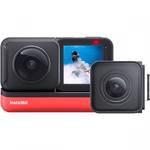
The Luna Ultra’s detachable screen was the feature that impressed us most on the day. Pull the 2-inch screen off, set the camera up on a stand or a ledge, and you can see the shot and control the camera from your hand, up to about 20 metres away according to Insta360. For anyone filming themselves or an event without a camera operator, that’s a real practical advantage.
It’s also easy to overlook that the detached screen has its own built-in microphone, so it doubles as a wireless mic. Hold it or set it near you while the camera films from across the room, and your voice is picked up close to you rather than at the camera. A dedicated clip-on mic like the Insta360 Mic Pro will still sound better, but for a quick piece to camera or an interview you didn’t plan for, having a remote, monitor and wireless mic in one piece is genuinely useful. We tried it while vlogging on the Luna Ultra, and the mic separated the voice from the background well enough that the main vocals stayed clear over the ambient sound.
The 4P’s screen doesn’t come off. You can see a live view and control it from your phone with the DJI Mimo app, or use DJI’s Osmo FrameTap wireless remote, which comes in the Vlog Combo. That works, but it’s another device to carry and charge, where the Luna’s remote is already part of the camera.
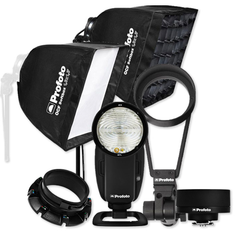
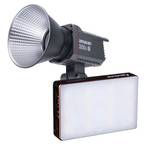
Fill light. The 4P comes with a small magnetic LED fill light in the box, which is useful for a face-to-camera piece in a dim room. The Luna Ultra doesn’t include one, but any small LED light on a cold-shoe or clamp mount will do the same job.
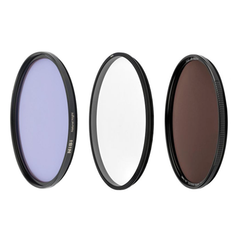
ND filters are like sunglasses for your camera. They cut the light coming in, so you can keep a slower shutter speed in bright conditions for natural-looking motion blur. A common rule is a shutter speed of about double your frame rate, so 1/50 s at 25p.
Neither camera includes ND filters; both brands sell them separately. The Insta360 Luna Ultra ND filters snap on magnetically, which is quick when you’re moving between shade and sun. DJI makes ND filters for the 4P too, but when we filmed they were in such demand that we couldn’t get them, so we used a third-party screw-on ND16 instead. The DJI Osmo Pocket 4P ND Filter Set (ND16, ND64 and ND256) uses a dual-glass design, so one filter covers both lenses and you don’t need to swap filters when switching between 1x and 3x. The filters twist on and lock into place. They’re well worth having for sunny shoots, and stock is limited, so order yours with Georges soon!
We set both cameras to 4K 25p at 1/50 s and filmed jacarandas at 1x and 3x. The day was overcast, so we couldn’t see much difference with the filters on. That’s an honest result: in soft light you may not need them. In harsh Australian sun, you’re much more likely to.
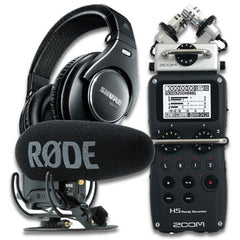
Both cameras connect directly to their own brand’s wireless microphones, so there’s no separate receiver to carry or plug in. We used the DJI Mic Mini on the 4P and the Insta360 Mic Pro on the Luna Ultra. Both connected quickly, and both cameras let you adjust the mic’s noise reduction, from a standard setting to stronger reduction for noisy places.
If you film interviews or talk to camera, budget for a mic. It makes more difference to how your videos come across than any of the image differences here.
Photos. Both cameras shoot high-resolution stills (up to 37MP in SuperPhoto on the 4P and UltraPhoto on the Luna Ultra) as well as standard-resolution modes, and both can save RAW files alongside JPEGs for editing. You switch from video to photo the same way on each: tap the mode at the bottom left of the screen and swipe. In our night shots over the water, both did well. Once downloaded at full resolution, the 4P’s detail on the buildings across the harbour was very good.
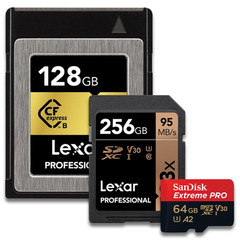
Storage. Both have internal storage and a microSD slot. The 4P has about 103GB usable internally; the Luna Ultra has 47GB. For long event days, the 4P’s internal storage goes further before you rely on a card, but a fast microSD card makes either one practical.
The apps. The 4P uses the DJI Mimo app; the Luna Ultra uses the Insta360 app. Both connected straight away. The difference we noticed was in reviewing files: Mimo shows low-resolution previews until you download the original, which takes a while for a long 4K clip. The Insta360 app’s previews looked good without downloading, which saves time and phone storage when you just want to check a shot.
Gersom chose the Insta360 Luna Ultra. He came in wanting something practical and reliable for run-and-gun event work, and a bit different from what he was used to. The detachable screen, the ease of use and the beauty settings won him over, and, as he said, it looks pretty cool as well.
He was clear that the 4P would suit someone who values deliberate, cinematic recording, and we agree. Irene, who presents the series, still couldn’t pick between them by the end, which says a lot about how close they are.
That’s a useful test for your own choice. If you plan your shots, grade your footage and love slow motion, the 4P gives you more to work with. If you’re often filming alone, moving fast and want usable footage without much editing, the Luna Ultra makes that easier.
(Gersom received a $500 Georges gift card for letting us feature him and his questions in the episode.)
Not overall. In our test the 4P had the edge for slow motion (4K 240 vs 4K 120), tracking at the telephoto end and a natural look in low light. The Luna Ultra was more convenient: a detachable screen remote and quick zoom while recording. Image quality was close.
If you want a telephoto camera or 4K slow motion, yes. The 4P adds a 60mm-equivalent telephoto camera and 4K at up to 240fps, and feels very similar in the hand. If you mainly film wide shots at normal frame rates, the Pocket 3 is still capable.
Yes in the standard profile. In our test, the 4P wouldn’t zoom while set to its log profile, and we had to switch to the standard profile to zoom. DJI confirms that 10-bit D-Log 2 only supports 1x zoom.
Up to 15x, which Insta360 quotes as 300mm equivalent. The optical zoom is 3x: its telephoto camera is 60mm equivalent, and everything beyond that is digital. The DJI Osmo Pocket 4P is also 3x optical (60mm), with digital zoom to 12x (about 240mm).
The DJI Osmo Pocket 4P. It records 4K at up to 240fps on its main camera, against 120fps on the Luna Ultra. That’s twice as slow at the same 4K resolution.
Both did better than we expected. The 4P kept a more natural, cinematic look; the Luna Ultra brightened scenes more in software, which looked more processed.
Yes. Its 2-inch screen comes off and works as a wireless remote with live view, up to about 20 metres away according to Insta360. It also has its own built-in microphone, so it can double as a wireless mic. The 4P’s screen is fixed, but you can monitor it from your phone or the optional Osmo FrameTap remote.
Yes. Each connects directly to its own brand’s mics without a receiver: we used the DJI Mic Mini and the Insta360 Mic Pro.
About 103GB usable on the 4P and 47GB on the Luna Ultra. Both also take microSD cards.
Not always. They help in bright sun by letting you keep a slower shutter speed for natural motion blur. On our overcast day we saw little difference.
The best way to choose is to hold both and try the controls. Come into our Sydney CBD store at 387 George Street, Sydney or our Chatswood store, and tell us what you film most (events, travel, vlogging or interviews) and what you shoot on now. We’ll set both cameras up side by side so you can compare the zoom, tracking and screens yourself. You can find our store locations and opening hours on the link below.
If you’re building a kit, we can also help with the right microSD card, wireless mic, ND filters and lighting for how you work.
Want to be in a future episode of Try Before You Buy? Tell us what you’re trying to create and what you need help testing. Apply to be on Try Before You Buy here.


Irene presents Try Before You Buy on Georges Cameras TV. For this episode, we filmed with both cameras alongside Gersom around George Street and Darling Harbour in Sydney, from an overcast afternoon into the night.


